Why Is Sage 50 Running Slow?
Has Sage 50 Become Slower as Your Business Has Grown?
If you’ve found this page, there’s a good chance you’re asking the same question that many growing businesses ask us every year: “Why has Sage 50 suddenly become so slow?”
Perhaps product searches now take several seconds to complete. Maybe sales orders are slower to process, reports seem to run forever or users are regularly complaining that Sage has frozen.
The frustrating part is that Sage 50 probably worked perfectly a few years ago. Nothing appears to have changed. You’re using the same software, often on newer hardware, yet everyday tasks are taking longer than they used to.
For many businesses, the immediate conclusion is that they have reached the limits of Sage 50 and that the only solution is to replace it with a larger ERP system such as Sage 200.
Sometimes that is absolutely the right decision.
However, after working with Sage software for more than twenty-five years, we have found that many businesses have not actually outgrown the accounting capabilities of Sage 50.
Instead, they have outgrown the way they are using it.
Understanding the difference can save a growing business a considerable amount of money, disruption and unnecessary change.
This Is One of the Most Common Conversations We Have With New Customers
Typically, the business has grown steadily over a number of years.
They May Have Started With
- A few thousand products.
- Two or three office staff.
- One warehouse.
- A handful of daily sales orders.
- No ecommerce website.
Sage 50 performed exceptionally well because it was being used primarily as an accounting system.
Fast Forward Five or Ten Years
- Tens of thousands of products.
- Several warehouses.
- Multiple users working simultaneously.
- Hundreds of sales orders every day.
- Barcode scanning in the warehouse.
- One or more ecommerce websites.
- Online marketplaces such as Amazon or eBay.
- Complex customer pricing.
- Supplier price lists containing thousands of products.
The business has evolved. Unfortunately, the demands being placed on Sage have evolved as well.
The Symptoms Are Usually Easy to Recognise
Although every business is different, the warning signs are remarkably consistent. You may recognise some of these yourself.
Everyday Tasks Take Longer
Jobs that once completed almost instantly now require users to wait.
Common examples include:
- Opening product records.
- Searching for customers.
- Looking up supplier information.
- Creating sales orders.
- Processing purchase orders.
- Running reports.
- Importing large product updates.
Individually these delays may only be a few seconds. Across an entire working day, however, they become a significant drain on productivity.
Staff Begin Complaining About Performance
Warehouse staff often blame the office. The office blames the server. The IT company recommends more memory. Everyone agrees that Sage has become slower.
As a result, staff frequently develop workarounds to avoid waiting for the system. Some delay entering transactions until later in the day. Others keep spreadsheets alongside Sage because they no longer trust the speed of the information they are seeing.
These workarounds rarely solve the underlying problem and often introduce new risks through duplicate data and manual processes.
Reports Take Longer Than They Used To
Many businesses first notice performance issues when running reports. Reports that previously completed within a few seconds gradually begin taking much longer.
This becomes particularly noticeable at busy times of the day when several users are working in Sage at the same time. Managers often delay running reports until the end of the day simply because they interrupt everyone else’s work.
Users Experience Delays Opening Screens
One of the most frustrating symptoms is waiting for screens to appear. You click on a customer. Nothing happens. You click again. The screen eventually opens. Product searches pause before displaying results. Sales orders appear to freeze while information loads.
Sometimes Windows even reports that Sage is “Not Responding”, only for the screen to appear a few moments later. This doesn’t necessarily mean Sage has crashed. More often, it is simply busy processing an increasing volume of information.
Ecommerce Seems to Make Everything Worse
Many businesses notice that performance deteriorates after launching an ecommerce website. Initially this may not be obvious.
As online sales increase, however, websites continually request:
- Product information.
- Stock availability.
- Prices.
- Customer information.
- Order updates.
Every request creates additional activity for Sage. Many businesses don’t realise just how often these requests occur throughout the day. We’ll look at this in more detail later because ecommerce has become one of the biggest contributors to performance problems in growing Sage 50 systems.
Is Sage 50 Really the Problem?
This is probably the most important question in this guide. When Sage starts running slowly, it’s natural to assume that the software itself is no longer capable of supporting your business. In our experience, that is often not the case.
Sage 50 remains an excellent financial accounting system and continues to meet the needs of thousands of businesses throughout the UK and Ireland. For many organisations, the accounting functions themselves are not causing the problem. The real issue is that Sage has gradually become responsible for far more than accounting.
Over the years it has often become the centre of almost every operational process within the business. It may now be managing:
Every one of these activities increases the amount of work Sage has to perform throughout the day. The accounting system hasn’t necessarily reached its limit. The operational workload has simply grown alongside the business. That is an important distinction because it opens up alternative options that don’t always require replacing the accounting system altogether.
In the next section we’ll look at what actually changes as a business grows and why expanding product ranges, transaction volumes and daily activity can have such a significant impact on Sage 50’s performance.
Why Does Sage 50 Become Slower as Your Business Grows?
At first glance, it can be difficult to understand why Sage 50 should become slower over time. After all, you’re using the same software. Perhaps you’ve even upgraded your server or replaced your PCs. So why does the system seem to become less responsive year after year?
The answer is surprisingly simple. Your business has grown.
Every year your business becomes more successful, it generates more information. Every new customer, every new supplier, every product you add and every sales order you process increases the amount of work Sage has to perform.
This isn’t a fault with Sage 50. It’s simply the result of asking the software to manage a business that may now be several times larger than when it was originally installed.
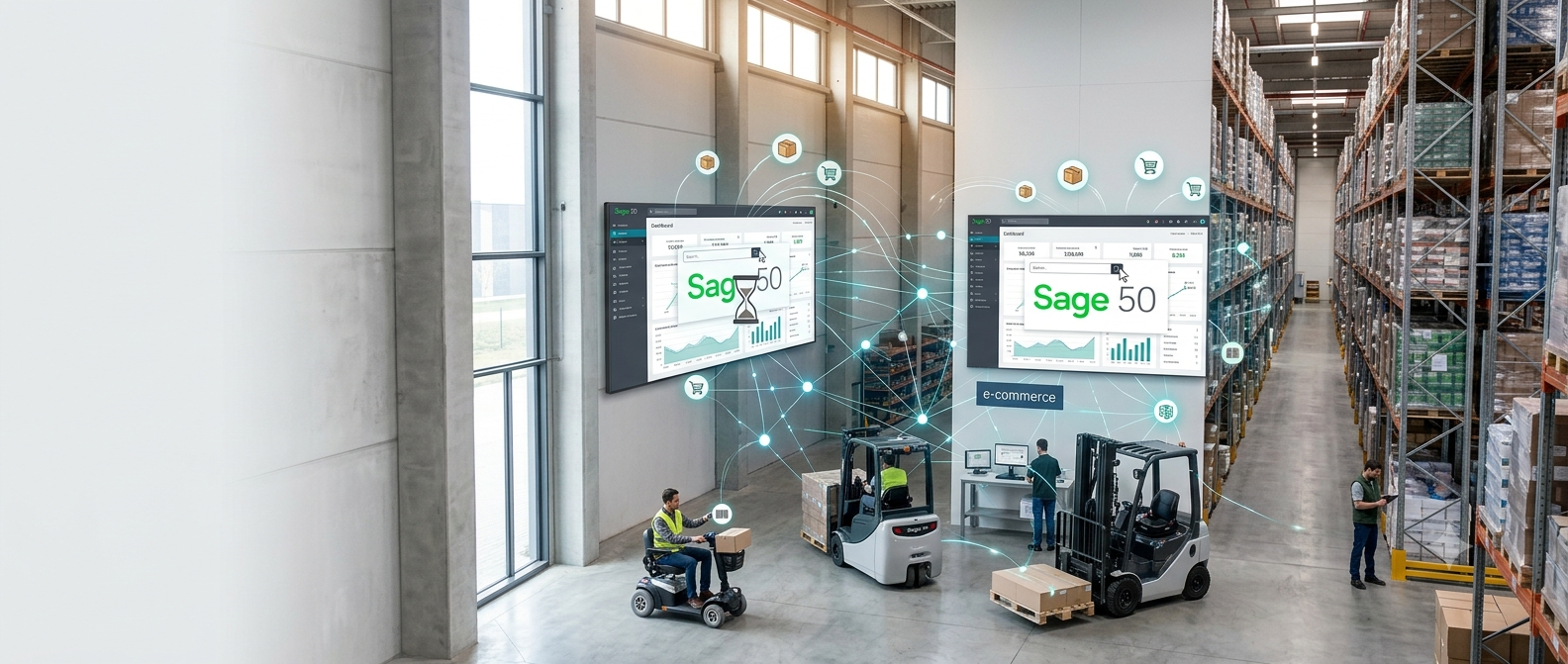
Growth Is Good — But It Creates More Work for Sage
Imagine two businesses.
Business A
Five years ago they had:
- 5,000 products
- 3 office staff
- 30 sales orders each day
- One warehouse
- No ecommerce website
For this business, Sage 50 is managing a relatively modest amount of information every day.
Business B
Now consider Business B. Today they have:
- More than 80,000 products
- 15 Sage users
- Several hundred sales orders each day
- Multiple warehouses
- Barcode scanning
- Ecommerce websites
- Amazon and eBay sales
- Thousands of purchase orders every year
Although both businesses are using Sage 50, the amount of information being processed is completely different. The software isn’t necessarily slower because of its age. It’s slower because it is working much harder.
Where the Extra Work Comes From
Every Transaction Adds to the Database
Every business transaction creates information. When you create a quotation, Sage stores it. When that quotation becomes a sales order, more records are created. The sales order is then dispatched. An invoice is raised. Payment is received. Stock is updated. Purchase orders are created to replenish stock. Goods are received. Supplier invoices are processed.
None of this information disappears. It continues to build year after year. As your business grows, so does the amount of information Sage has to work with. For businesses that have been trading for many years, this can represent hundreds of thousands of stock transactions and an extensive history of customer, supplier and product activity.
Large Product Catalogues Create Additional Work
Many of the businesses we work with have experienced significant growth in the size of their product catalogue. It is not unusual for companies to manage:
- 20,000 products
- 50,000 products
- 80,000 products
- or even more
Every additional product increases the amount of information that needs to be maintained. Prices change. Supplier costs are updated. Descriptions are amended. Barcode information is added. Alternative supplier codes are maintained. Images are synchronised with ecommerce websites.
As product catalogues expand, everyday operations naturally involve more searching, more updates and more processing. The challenge isn’t simply the number of products. It is how often those products are being accessed throughout the working day.
More Users Mean More Activity
Business growth rarely means only more products. It also means more people. As companies expand they recruit:
- Sales staff
- Customer service teams
- Warehouse operatives
- Purchasing staff
- Accounts personnel
Everyone expects instant access to information. Throughout the day users are:
- Creating quotations.
- Processing orders.
- Booking in deliveries.
- Updating products.
- Running reports.
- Looking up customer accounts.
All of these activities happen simultaneously. While each individual task may be relatively small, together they create a continuous stream of activity. The result is that Sage is constantly reading and updating information for multiple users at the same time.
Why Product Searches Begin to Feel Slower
One of the first things users often notice is that product searches no longer feel as responsive as they once did. Searching for a stock item that used to appear almost instantly may now take several seconds. Customer records can take longer to open. Supplier searches become less responsive. Sales order lists take longer to display.
These delays are often gradual, so businesses simply adapt to them. Eventually, however, staff begin to comment that “Sage seems slower than it used to be.” In reality, Sage is searching through significantly more information than it did several years earlier.
Reports Continue to Grow
Reporting is another area where growth has a noticeable impact. Management reports often need to analyse:
- Customer history
- Product performance
- Sales activity
- Stock movements
- Purchasing history
As the amount of historical information increases, reports naturally require more processing. Businesses often notice that reports which once completed in seconds now take considerably longer. Some even delay running reports until lunchtime or after normal office hours because they don’t want to slow everyone else down.
Why Buying a Faster Server Doesn’t Always Solve the Problem
One of the first recommendations many businesses receive is: “You need a faster server.”
Sometimes this helps. Newer hardware, faster storage and additional memory can certainly improve overall performance. However, many businesses are disappointed when the improvement is much smaller than expected. Why? Because a faster server doesn’t reduce the amount of work Sage is being asked to perform.
If your business is processing:
- More orders
- More products
- More users
- More stock movements
- More ecommerce transactions
then the operational workload continues to increase regardless of how powerful the server becomes.
A useful way to think about it is this.
Imagine replacing a delivery van with a faster one. If your business doubles the number of deliveries every year, the new van will certainly help—but it won’t halve the amount of work.
Eventually the business needs a better way of organising deliveries, not simply a faster vehicle. Exactly the same principle applies to growing Sage 50 systems.
The Real Issue Isn’t Accounting
This is perhaps the most important point in this guide. Very few businesses tell us that Sage 50 is struggling to produce a trial balance or calculate VAT. The accounting functions themselves generally continue to perform extremely well.
The challenges almost always relate to operational activities such as:
These are the processes that generate the greatest number of database requests every day. As businesses grow, they often continue asking Sage to perform more and more operational tasks until performance begins to suffer. The good news is that recognising this distinction opens up alternatives that don’t necessarily involve replacing your accounting system.
In the next section we’ll look at one of the biggest hidden causes of Sage 50 performance problems—ecommerce integration, third-party applications and the growing number of systems that communicate with Sage throughout the working day.
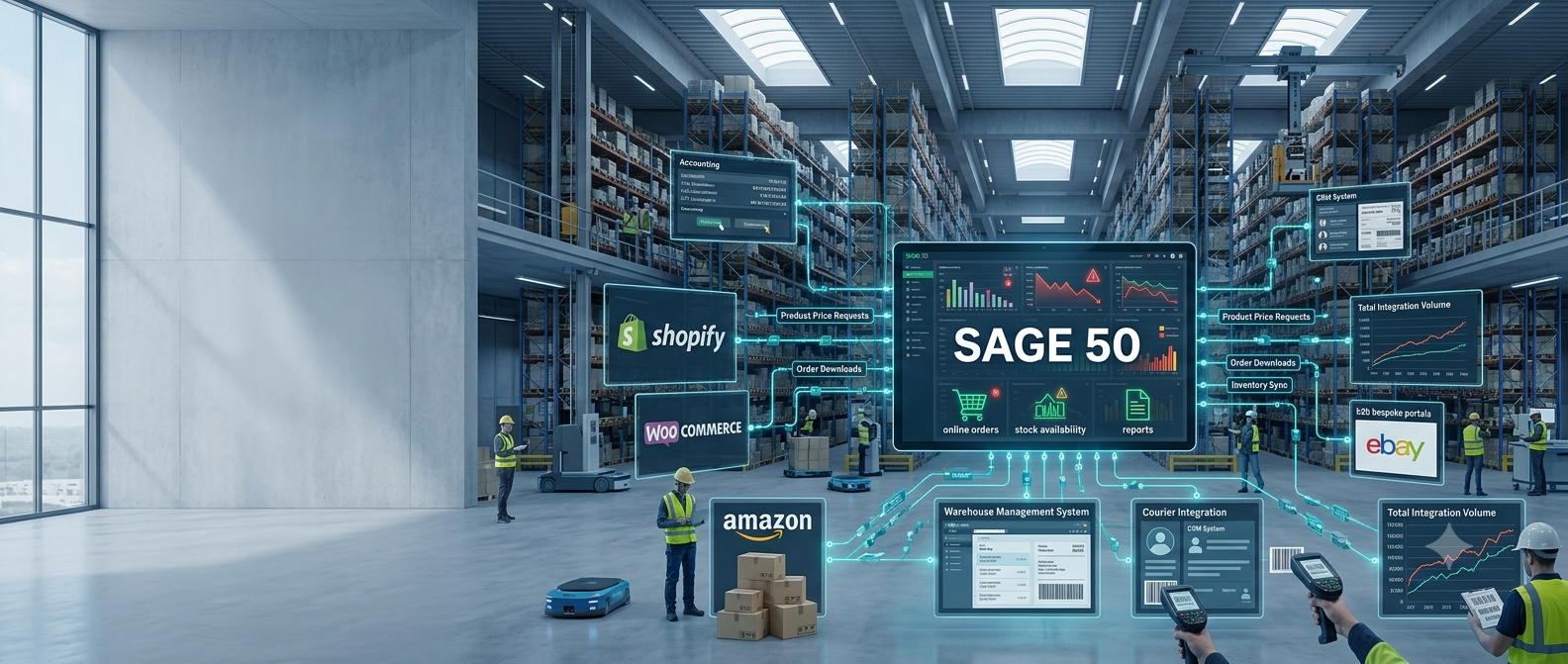
Ecommerce — The Hidden Performance Killer
When businesses first begin selling online, the impact on Sage 50 is often minimal. A small ecommerce website processing a handful of orders each day is unlikely to place any significant strain on the system. The situation changes as online sales grow.
Many businesses now sell through multiple channels including:
- Their own ecommerce website
- Shopify
- WooCommerce
- Amazon
- eBay
- Bespoke B2B ordering portals
Each of these platforms needs access to information held within Sage. For example, they may regularly request:
- Product descriptions
- Product prices
- Stock availability
- Customer information
- Sales orders
- Tracking information
Many businesses don’t realise how frequently this happens. Some ecommerce integrations communicate with Sage every few minutes throughout the day. Others may perform synchronisation almost continuously as orders are received and stock levels change.
Individually these requests are relatively small. Collectively they can generate thousands of additional database requests every day. The result is that Sage is no longer only serving office staff. It is also serving websites, online marketplaces and third-party applications at the same time.
It’s Not Just Ecommerce
Over the years, many businesses gradually connect additional systems to Sage 50. These might include warehouse management systems, barcode scanning software, courier integration, CRM systems, reporting software, manufacturing systems, business intelligence tools and bespoke applications.
Each integration provides valuable functionality. However, each one also increases the number of times information is read from or written to the Sage database.
Many businesses don’t notice this happening because each integration is added individually over several years. Eventually they find themselves with half a dozen different systems all communicating with Sage throughout the working day. At that point the accounting system has effectively become the central operational database for the entire business.
Every Integration Creates More Activity
Imagine a typical working day.
A customer places an order through your website.
The website checks stock availability.
The order is downloaded.
Warehouse staff begin picking the order.
Barcode scanners update stock movements.
A courier system requests shipment information.
A reporting package updates sales dashboards.
Purchasing software checks stock levels for reordering.
At the same time office staff continue processing quotations, orders, invoices and supplier deliveries. None of these activities are unusual. In fact, they are exactly what a growing business expects. The challenge is that every one of them relies on Sage responding quickly. As more systems communicate with Sage, the workload continues to increase.
Why Sage Remote Drive Can Become a Limitation
Many businesses with multiple locations choose Sage Remote Drive because it provides a convenient way of accessing Sage from different offices. For smaller organisations with relatively modest transaction volumes, it can work very well.
However, as businesses grow, it is important to understand how Remote Drive operates. Rather than everyone working on a single live database, Remote Drive synchronises database changes between locations. Every transaction created by one user needs to be transferred to every other connected database.
As transaction volumes increase, the amount of information requiring synchronisation also increases. This may include:
- Sales orders
- Purchase orders
- Customer records
- Supplier records
- Stock updates
- Product changes
- Pricing updates
The larger the database becomes, and the more activity taking place during the day, the more work Remote Drive has to perform. The result can be:
- Longer synchronisation times.
- Delays before users see updates.
- Reduced responsiveness.
- Greater dependence on internet performance.
This doesn’t mean Remote Drive is unsuitable. It simply means that organisations experiencing rapid growth should carefully consider whether it remains the most appropriate solution for the way they now operate.
Why Many Growing Businesses Move to Remote Desktop
One alternative that many growing businesses adopt is running Sage on a central server using Remote Desktop or a hosted cloud server such as Microsoft Azure. Instead of synchronising multiple databases, every user works directly on the same live Sage database.
The advantages include:
This approach has proved particularly successful for businesses with multiple warehouses, remote office staff and growing transaction volumes.
A Typical Growing Business
One recent customer approached us because Sage 50 had become noticeably slower over several years. The business had grown successfully from a relatively small operation into a large wholesale distributor. During that time they had expanded to include:
Initially they believed they needed a faster server. Their IT provider upgraded hardware. Although performance improved slightly, the underlying problems remained. Staff still experienced delays opening product records. Reports continued to take longer than expected. Website synchronisation generated constant activity throughout the day.
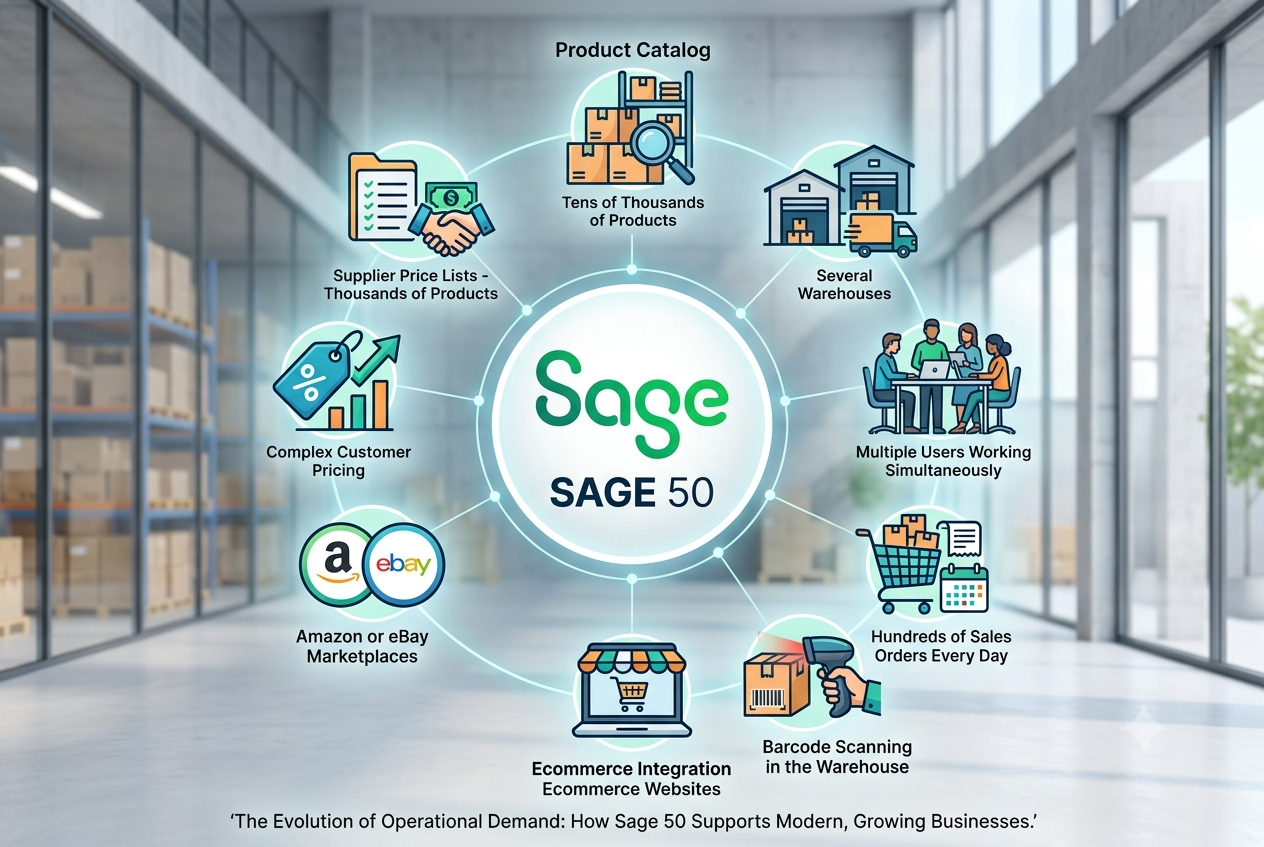
After reviewing how the system was being used, it became clear that Sage was no longer simply managing the company’s accounts. It had gradually become responsible for quotations, sales order processing, purchase order processing, ecommerce integration, product management and warehouse activity. The accounting functions themselves were performing well. The operational workload had simply become too great.
Rather than replacing Sage 50, the business adopted a different approach. Operational processing was moved away from Sage while financial accounting remained exactly where it belonged. The result was a significant reduction in the workload placed on Sage and a platform that could continue supporting future growth without immediately moving to a completely different ERP system.
Is Sage Still Being Used as an Accounting System — or Running Your Whole Business?
Many companies don’t experience a sudden performance problem. Instead, they notice a gradual decline over several years. Each new ecommerce channel. Each additional warehouse. Each extra user. Each software integration. Each increase in transaction volumes. None of these changes appears significant on its own. Together they transform the role that Sage 50 plays within the business.
If your organisation has experienced steady growth over a number of years, it is worth asking a simple question: is Sage still being used primarily as an accounting system, or has it gradually become responsible for running every operational process within the business? For many businesses, answering that question is the first step towards improving performance without replacing the accounting system they already know and trust.
In the next section we’ll look at the options available to growing businesses, explain when moving to Sage 200 is the right decision and introduce an alternative approach for organisations whose primary challenge is operational workload rather than accounting functionality.
Talk to Our Sage 50 Specialists