Modern Sales Order Processing for Growing Sage 50 Businesses
Sales Order Processing Is at the Heart of Daily Operations
For many businesses, sales order processing is at the heart of daily operations. Every customer enquiry, quotation, order, delivery and invoice begins with an efficient sales order process.
Sage 50 includes Sales Order Processing (SOP) functionality that works well for many small and medium-sized businesses. However, as organisations grow, the volume and complexity of orders often increases significantly. Businesses begin managing:
At this point, many companies discover that they are asking Sage 50 to perform far more operational work than when it was first implemented.
The result is often slower order processing, increasing administration and growing pressure on the Sage database.
What Is Sales Order Processing?
Sales Order Processing is the complete workflow from the moment a customer places an order until that order has been delivered and invoiced. A typical process includes:
- Creating customer quotations.
- Converting quotations into sales orders.
- Checking stock availability.
- Allocating inventory.
- Picking products.
- Dispatching goods.
- Producing delivery documentation.
- Raising invoices.
Every one of these stages is critical to customer satisfaction. Fast and accurate processing helps businesses improve service while reducing administration and costly mistakes.
How Sales Order Processing Changes as Businesses Grow
When a company is relatively small, sales order processing is usually straightforward. Office staff manually create orders. Warehouse staff pick products from a single location. Stock levels are easy to manage.
As businesses expand, however, the process becomes considerably more demanding. Growth often introduces:
When Relatively Small
- Office staff manually create orders.
- Warehouse staff pick from a single location.
- Stock levels are easy to manage.
Growth Often Introduces
- More office users.
- Larger product ranges.
- Multiple warehouses.
- Barcode scanning.
- Customer-specific pricing.
- Multiple delivery addresses.
- Partial deliveries.
- Back orders.
- Online sales.
The sales order process becomes significantly more complex.
Common Challenges
Growing businesses frequently experience similar problems.
Slow Order Entry
Sales staff spend increasing amounts of time searching for products, checking prices and confirming stock availability.
Manual Processes
Many organisations continue relying on spreadsheets, printed pick lists and manual checking because the existing workflow no longer supports the growing volume of business.
Pricing Complexity
Customers often have:
- Agreed prices.
- Contract pricing.
- Quantity discounts.
- Promotional pricing.
- Customer-specific product ranges.
Maintaining these manually becomes increasingly difficult.
Warehouse Delays
Warehouse teams require accurate picking information and real-time stock availability. Without efficient processes, dispatch delays become more common.
Ecommerce Orders
Online orders often need to be imported automatically. As ecommerce sales grow, this creates additional workload within Sage.
Is Sage 50 the Problem?
Not necessarily. In our experience, most businesses still find Sage 50 perfectly capable of managing their financial accounts.
The challenge is that Sage gradually becomes responsible for every operational activity associated with processing customer orders. Instead of simply recording completed financial transactions, it is now expected to manage:
These operational activities generate a significant amount of database activity every day.
Introducing the Barcoder Commercial Management Module
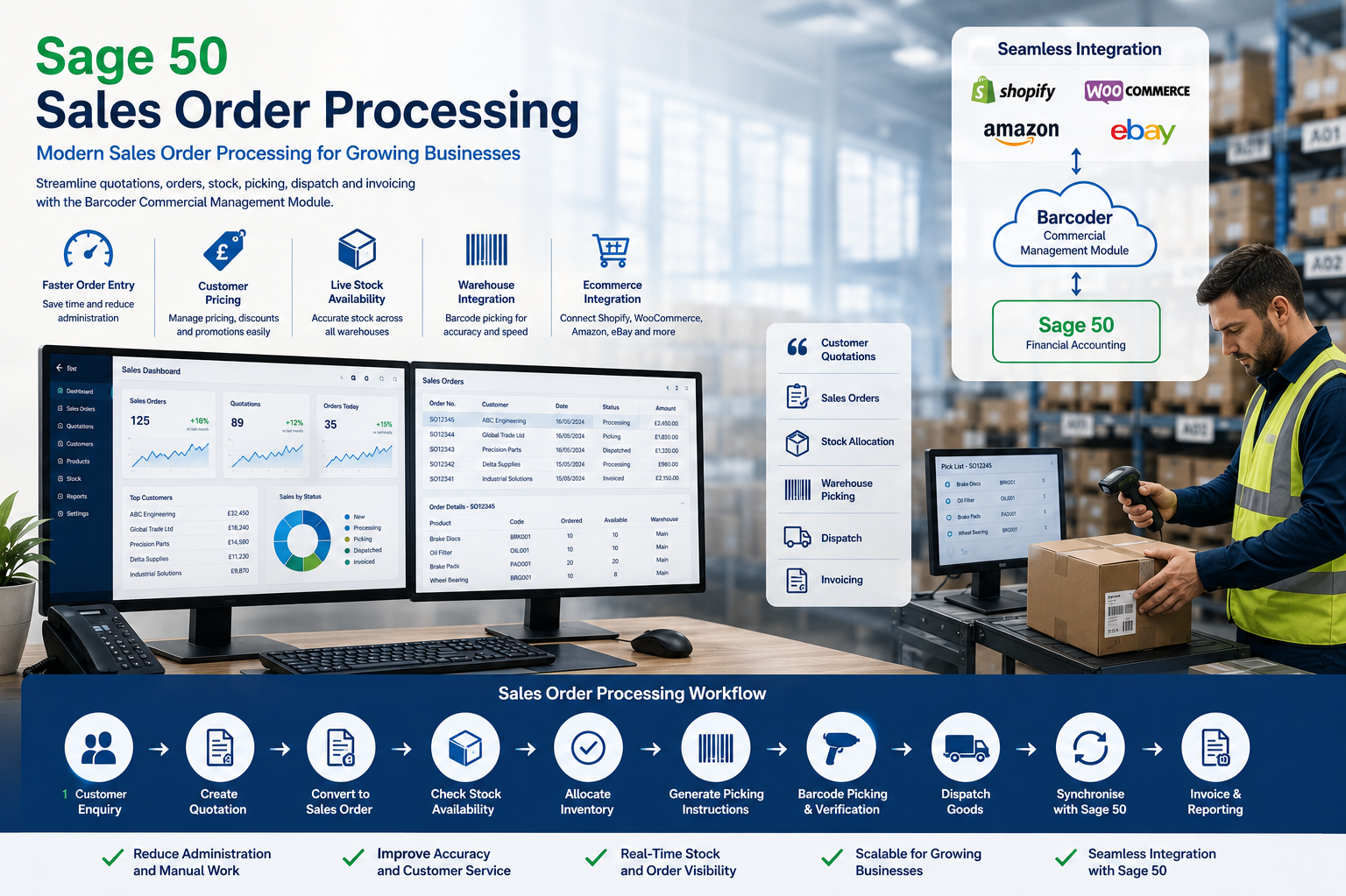
The Barcoder Commercial Management Module has been developed specifically for businesses that have outgrown traditional sales order processing workflows.
Rather than replacing Sage 50, it becomes the commercial processing platform while Sage continues managing financial accounting.
This allows businesses to continue using the accounting system they know while introducing a modern browser-based sales order processing solution.
Key Features
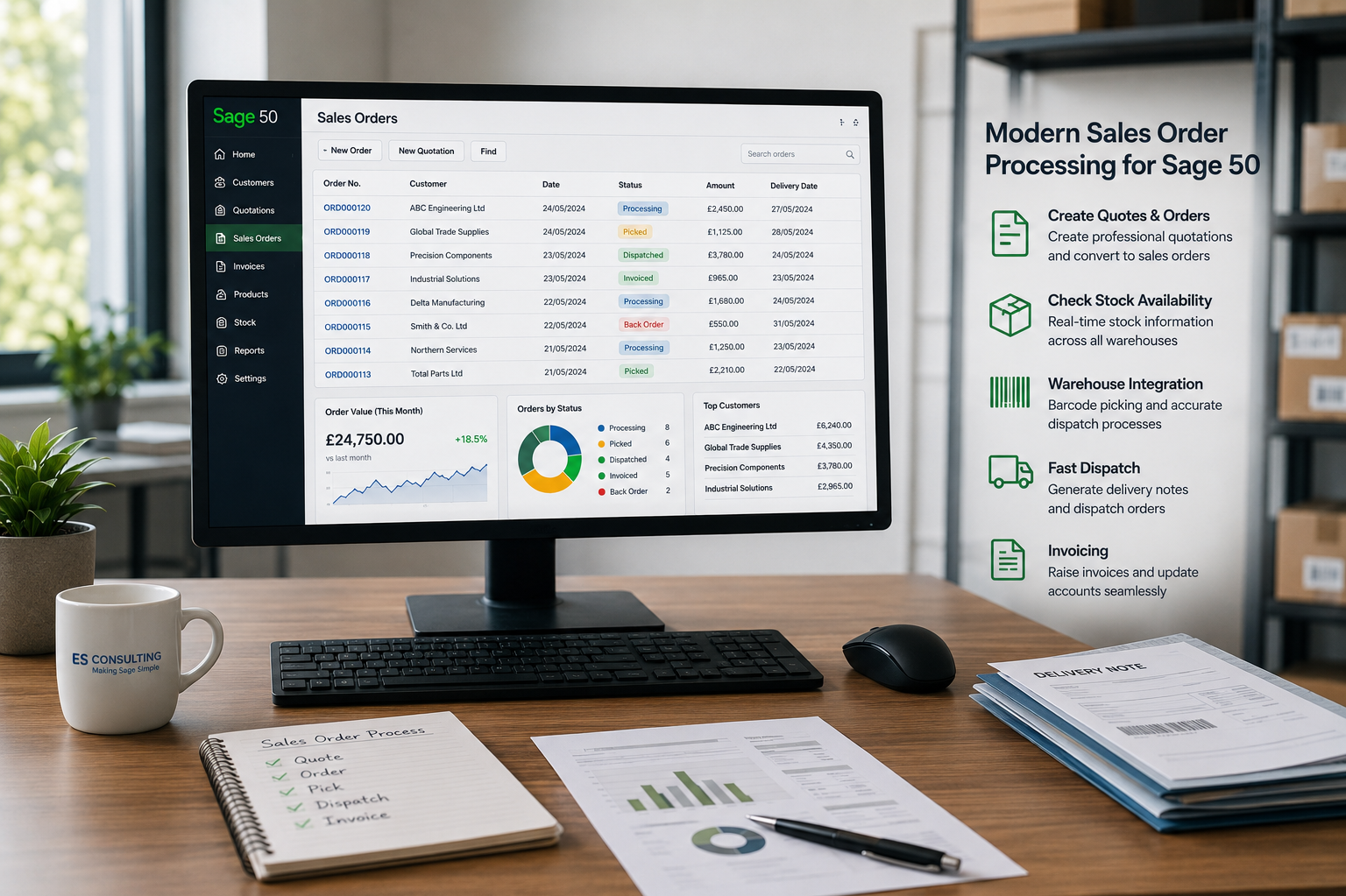
The Commercial Management Module brings together everything a growing sales order operation needs, from first quotation through to dispatch.
Customer Quotations
Create professional quotations quickly and convert them directly into sales orders.
Fast Order Entry
Search large product catalogues efficiently. Create customer orders using intuitive browser-based screens. Reduce administration while improving productivity.
Customer Pricing
Support:
- Customer-specific pricing.
- Trade pricing.
- Quantity discounts.
- Promotional prices.
- Contract pricing.
Live Stock Availability
View accurate stock availability before committing to customer orders.
Warehouse Integration
Sales orders pass directly into the Barcoder Warehouse Management System where barcode scanners guide warehouse staff through accurate picking and dispatch.
Ecommerce Integration
Orders imported from Shopify, WooCommerce, Amazon, eBay and bespoke websites enter the Commercial Management Module rather than communicating directly with Sage.
Real-Time Synchronisation
Financial transactions continue flowing into Sage while operational processing remains within Barcoder.
Sales Order Processing Workflow
A typical workflow includes:
Customer enquiry.
Create quotation.
Convert quotation to sales order.
Check stock availability.
Allocate inventory.
Generate warehouse picking instructions.
Barcode picking and verification.
Dispatch goods.
Synchronise financial information with Sage.
Produce invoices and financial reports.
This structured process improves accuracy while reducing manual intervention.
Why Growing Businesses Choose Barcoder
Businesses typically introduce the Commercial Management Module because they want to:
Frequently Asked Questions
Does this replace Sage 50 Sales Order Processing?
No. Sage continues managing financial accounting while the Barcoder Commercial Management Module manages commercial order processing.
Can it process ecommerce orders?
Yes. Orders from Shopify, WooCommerce, Amazon, eBay and bespoke ecommerce websites can be imported directly.
Does it support barcode warehouse picking?
Yes. It integrates fully with the Barcoder Warehouse Management System.
Can it manage customer-specific pricing?
Yes. The system supports customer pricing agreements, trade pricing, promotional pricing and quantity discounts.
Can multiple users process orders simultaneously?
Yes. The Commercial Management Module has been designed for growing businesses with multiple office users and warehouse staff.
See How Barcoder Can Modernise Your Order Processing
If your business has outgrown the way Sage 50 currently manages sales orders, we’d be pleased to demonstrate how the Barcoder Commercial Management Module can improve operational efficiency while allowing Sage to remain your financial accounting system.
Whether you process dozens of orders each day or many hundreds, Barcoder provides a scalable platform that grows with your business.
Contact ES Consulting today to arrange a demonstration.
Arrange a Demonstration